




Creating a home office that is both cozy and productive can significantly improve your work-from-home experience. Whether you’re setting up a new space or refreshing an existing one, balancing comfort with efficiency is key to staying motivated and focused throughout the day. In this post, we’ll explore practical tips on how to design a home office that promotes productivity while also feeling welcoming and comfortable.
Choose the Right Location
Selecting the ideal spot for your home office is the first step. Consider a quiet area with minimal distractions where you can concentrate. If possible, pick a room with natural light because sunlight helps boost mood and energy.
– Avoid high-traffic home areas
– Look for a space with access to power outlets
– Consider privacy for virtual meetings or calls
Invest in Comfortable and Functional Furniture
An ergonomic chair and a spacious desk are essential for comfort and productivity. Spending hours in an uncomfortable chair can lead to poor posture or fatigue.
– Choose a chair with good back support
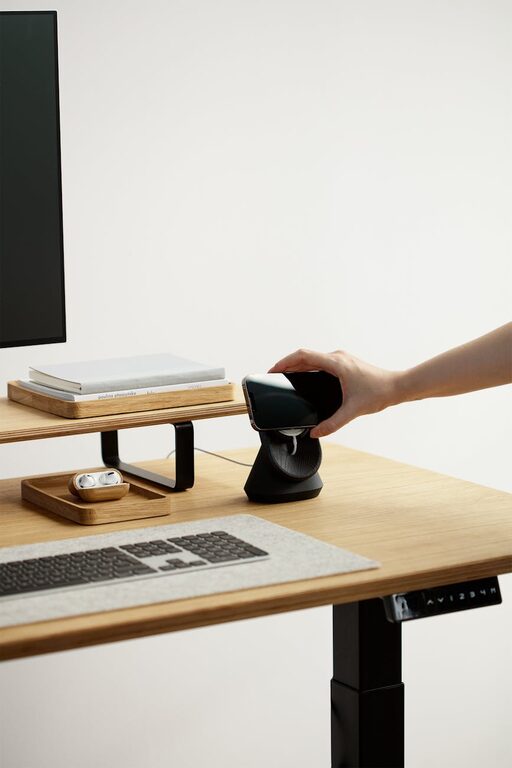
– Opt for a desk that fits your equipment without clutter
– Adjustable furniture can help customize your space to your needs
Optimize Lighting
Proper lighting reduces eye strain and helps maintain alertness. Besides natural light, incorporate a variety of light sources to create an inviting atmosphere.
– Use adjustable desk lamps for focused lighting
– Consider warm light bulbs to add coziness
– Avoid harsh overhead lighting that causes glare
Keep Your Workspace Organized
A tidy desk promotes clearer thinking and reduces stress. Organize your supplies and documents using storage solutions that complement your décor.
– Use drawers, shelves, or bins for supplies
– Keep frequently used items within easy reach
– Declutter regularly to maintain a clean environment
Personalize Your Space
Adding personal touches makes your home office feel inviting and unique, which can increase your motivation to work.
– Display art or photos that inspire you
– Incorporate plants for a touch of nature and improved air quality
– Choose colors and décor that reflect your personality and soothe you
Minimize Distractions
Reducing noise and visual disruptions can help maintain your focus.
– Use noise-canceling headphones or white noise machines
– Keep your phone on silent or in another room if not needed
– Close doors or use room dividers to separate your workspace
Set Up Technology Efficiently
Reliable technology is fundamental. Organize your cables and set up your devices to minimize clutter and technical interruptions.
– Use cable management tools to keep cords tidy
– Ensure your internet connection is stable and fast
– Keep necessary accessories like printers or scanners nearby but unobtrusive
Incorporate Break Areas and Movement
Incorporate ways to stretch or take brief breaks without leaving your space entirely.
– Include a comfortable chair or small sofa for reading or resting
– Use a standing desk or adjustable workstation to alternate positions
– Practice simple stretching exercises during breaks to stay energized
Maintain a Routine to Enhance Productivity
Even the best office setup requires a routine to make the most of your day.
– Establish regular work hours and take scheduled breaks
– Set up a morning ritual to transition into work mode
– End your day by tidying up your workspace to prepare for tomorrow
—
By following these tips, you can create a home office space that supports both your comfort and your productivity. Remember, the best workspace is one that suits your unique needs and helps you feel motivated to tackle your workday with ease. Happy decorating!


More Stories