




Creating a cozy and productive home workspace is essential for anyone working remotely or managing tasks from home. A well-designed workspace not only enhances your focus but also makes your workday more enjoyable. Whether you have a dedicated room or a small corner, these tips can help you set up a space that matches your personal style while encouraging peak productivity.
Choose the Right Location
Selecting the right spot in your home is the first step toward creating an effective workspace.
– Natural Light: Aim for a space with plenty of natural light. Sunlight reduces eye strain, improves mood, and keeps you energized.
– Quiet Zone: Pick an area away from household noise and distractions to maintain focus.
– Space Availability: Choose a spot that comfortably fits your desk, chair, and any equipment you need.
Invest in Comfortable Furniture
Your comfort matters a lot when you spend hours working at home.
– Ergonomic Chair: Choose a chair with adjustable height and good back support to prevent discomfort.
– Proper Desk: Find a desk that fits your workflow and allows you to keep your essentials organized.
– Adjustable Setup: Consider a standing desk or accessories like footrests and monitor stands for flexibility.
Keep the Space Organized
A tidy workspace helps clear your mind and improves efficiency.
– Declutter Regularly: Remove items you don’t need daily to maintain a neat workspace.
– Storage Solutions: Use shelves, drawers, or filing cabinets to keep documents and supplies organized.
– Desk Accessories: Tools like pen holders, cable organizers, and trays keep everything in its place.
Add Personal Touches
Incorporating elements that reflect your personality can make the workspace more inviting.
– Decor: Hang artwork, or place plants to create a pleasant atmosphere.
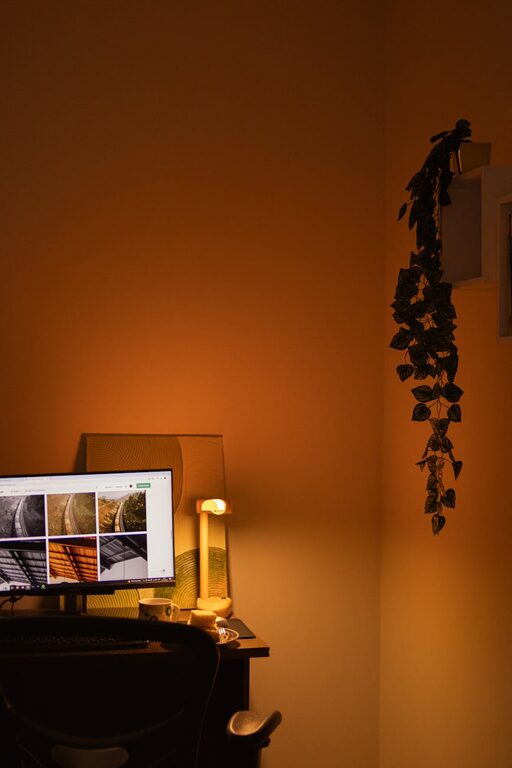
– Lighting: Use warm lamps or string lights to add coziness beyond natural lighting.
– Comfort Items: A cozy blanket, a soft cushion, or a favorite mug can add a friendly vibe.
Minimize Distractions
To maximize productivity, keep distractions to a minimum in your workspace.
– Turn Off Notifications: Use ‘Do Not Disturb’ modes on devices during work hours.
– Set Boundaries: If you share your home, communicate your work schedule clearly.
– Use Noise-Canceling Tools: Earphones or white noise machines can block out unwanted sounds.
Make Technology Work for You
Update your technology setup for smooth and efficient work.
– Reliable Internet: Ensure good internet speed to avoid interruptions during video calls or uploads.
– Proper Equipment: Use a quality webcam, microphone, and headset to enhance communication.
– Backup Plans: Have extra chargers and external drives ready to prevent surprises.
Prioritize Health and Well-Being
Your physical and mental wellness plays a big role in how productive you are.
– Take Breaks: Use timers to remind yourself to stretch and rest regularly.
– Stay Hydrated and Eat Well: Keep a water bottle nearby and healthy snacks to maintain energy.
– Exercise: Include light exercises or yoga in your routine to reduce tension and improve focus.
Set a Routine and Goals
Structure your day to make the most of your workspace and working hours.
– Daily Schedule: Plan start, break, and finish times to build good habits.
– Task List: Write down your priorities and tackle them one by one.
– Review Progress: At the end of the day, reflect on accomplishments and plan ahead.
In Conclusion
A cozy and productive home workspace is within your reach when you focus on comfort, organization, and minimizing distractions. Small changes can make a big difference in how you feel and perform while working from home. Take the time to design a space that inspires you — your future self will thank you!
—
By applying these tips, you’ll create an environment that supports both your well-being and your professional goals. Happy working!


More Stories